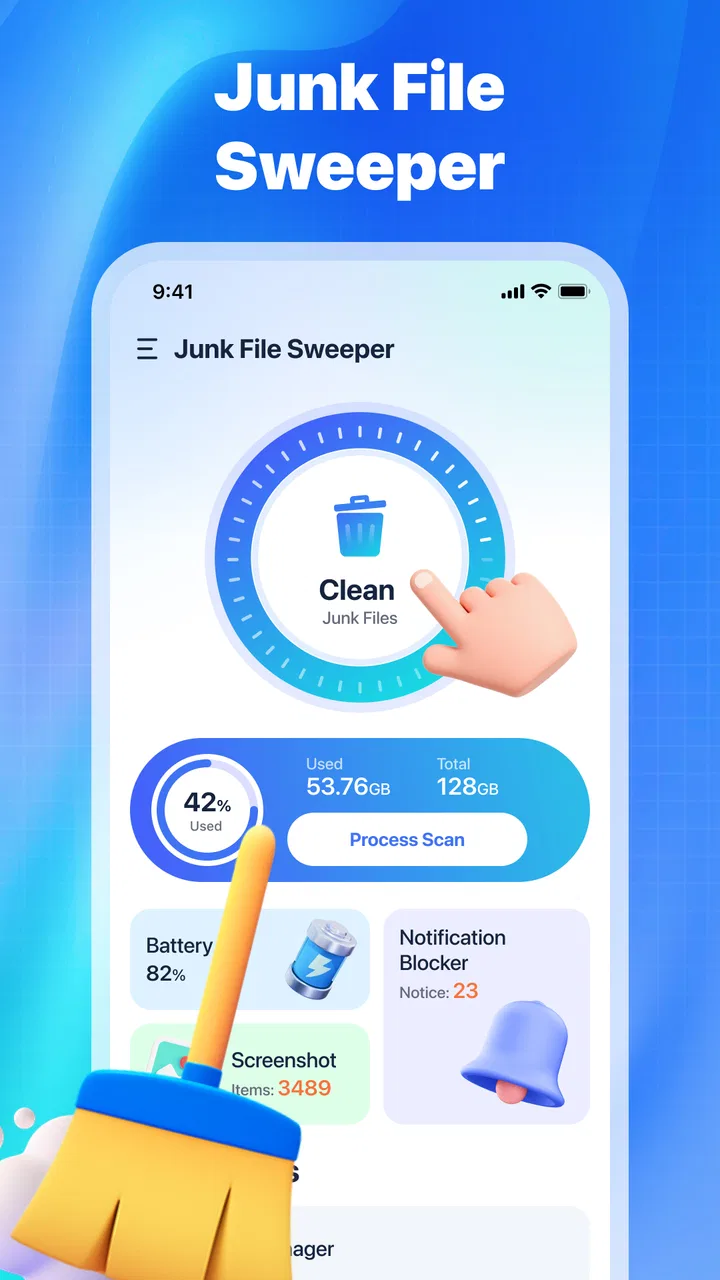
Junk File Sweeper
- 3.7
- Rating
- 1.00M
- Installs
- Free
- Price

 Analysis by App-foxy
Phone storage rarely disappears in one dramatic moment. It is usually eaten away by leftovers: temporary files, old downloads, repeated media, and clutter that becomes easy to ignore until an update fails or the camera refuses to save another picture. I reviewed Junk File Sweeper with that ordinary annoyance in mind. Its purpose is straightforward: help clean up mobile phone junk without turning storage maintenance into a project.
That narrow focus is both the app’s appeal and the main reason to keep expectations realistic. This is a free tools app from JunkaseyMai, aimed at people who want a simpler way to look for unnecessary files. It is not something I would treat as a complete phone-maintenance system, and I would not expect it to replace careful manual review of personal photos, documents, or downloads. Still, for a quick cleanup routine, it has a useful place.
Why a small storage problem becomes a regular chore
When a phone starts warning about low space, the difficult part is often not deleting files. The difficult part is deciding what is safe to remove. I may know that an old download is probably unimportant, yet I still hesitate because the filename is vague or I cannot remember which app created it. That hesitation is where a cleanup tool can save time.
You May Also Like

 Blood Strike: 2.5 Anniversary
Blood Strike’s Loadouts Turn Every Drop Into a Tactical Gamble
A close look at Blood Strike’s custom loadouts: how fast access to signature weapons reshapes its battle royale rhythm, rewards preparation, and narrows the gap between fights.

 Pandora - Music & Podcasts
Pandora’s Music Is Easy to Start, but Harder to Recover
Pandora’s strength is its low-effort path from a seed to a station. Its weak spot is how much confidence it asks you to place in connection, setup, and quiet recovery.

 8 Ball Pool
 Is Built on Rivalries, Rematches, and Routine
A close look at the rivalries, rematches, shared routines, and unanswered safety questions that turn a quick pool match into a persistent mobile community.

 Samsung Music
’s Quiet Strength Is Playing What You Already Own
Its reach comes less from spectacle than from dependable access to a personal library. That simplicity is both the app’s strongest retention engine and its ceiling.

 AccuWeather: Weather Radar
AccuWeather Review: A Quick, Clear Forecast for Everyday Decisions
For everyday plans, the best forecast is the one you can understand quickly. AccuWeather makes rain timing, radar, and local conditions easy to act on, with a few trade-offs.

 Hill Climb Racing
Why Hill Climb Racing Still Turns Crashes Into One More Run
A tiny car, a bumpy hill and one more upgrade: Hill Climb Racing keeps resurfacing because its simple chaos makes every near-miss feel personal.
More From Our News Desk



The app’s store summary describes its job as helping clean up mobile phone junk, while its short description calls it a junk file sweeper. Those phrases are simple, but they set the right expectation: the useful result is a clearer view of disposable clutter, not a promise that every storage problem will vanish with one tap.
I found the concept most relevant for people who use their phones heavily for messaging, browsing, social media, and media sharing. Those habits can create a steady stream of temporary material. Someone who mainly uses a phone for calls and occasional photos may have less reason to keep a dedicated cleaner ready, while a person who repeatedly runs out of space may appreciate a focused tool.
One practical point matters before any cleanup: free space is not the same thing as a more organized phone. Removing junk can create breathing room, but it will not automatically sort a camera roll, rename documents, or decide which conversations are worth keeping. I see this app as a first pass that reduces clutter, followed by a more deliberate review when the problem is personal files rather than disposable leftovers.
The first useful setup is a cautious scan
My preferred way to approach a cleaner is not to open it only when the phone is already in trouble. I would start when storage is comfortable, run the available scan, and pay attention to how the results are presented. That gives me a baseline and makes it easier to recognize whether a later result contains ordinary temporary clutter or something I actually need.
Because cleanup tools can surface files with unhelpful names, I would never treat a large total as an automatic instruction to delete everything. The safer workflow is to inspect categories or groups, check whether a file belongs to a current project, and keep anything whose purpose is unclear. A few minutes of caution is a better trade-off than recovering an accidentally removed document.
The app is free, which makes this trial approach easy for someone who does not want to commit money before seeing whether a cleaner fits their routine. It is listed for everyone and supports devices running Android six or later. That broad compatibility makes it approachable for people using older phones, although the experience can still vary depending on the device and its own storage controls.
JunkaseyMai has kept the product identity focused rather than presenting it as a large suite of unrelated utilities. I like that clarity. When I open a tool intended for junk cleanup, I want the central task to be obvious. At the same time, a focused purpose means I judge it by how quickly it helps me understand and reduce clutter, not by whether it offers every feature found in a broader phone-management app.
A realistic everyday scenario
Imagine preparing for a trip while using a phone as a camera, map, boarding-pass holder, and messaging device. A few days before leaving, storage warnings begin appearing. The immediate temptation is to remove random videos or old screenshots, but those may include information needed during the trip. This is where I would use the sweeper first: look for disposable material, clear only what is understandable, and leave personal media for a separate review.
That workflow is more valuable than a rushed mass deletion. If the app helps identify low-value clutter, it can reduce the amount of manual searching. I would then check the phone’s storage screen and confirm that the space problem has actually improved. If it has not, the remaining issue is probably larger personal content, an oversized app, or media that requires a human decision rather than a junk scan.
Another useful moment is before installing a large app or downloading offline content. I would run a cleanup, remove clearly unwanted leftovers, and then decide whether more space is needed. This is less stressful than waiting until an installation fails, and it encourages a repeatable habit instead of emergency deletion.
Where it can remove friction
The biggest benefit is decision support. A phone’s built-in storage page often gives useful information, but it may spread that information across app categories, media sections, and system menus. A dedicated sweeper can make the starting point feel more direct. For a person who does not want to learn every storage setting, that reduction in navigation is meaningful.
I also see value for people who share files frequently. Messaging and social apps can leave behind material that no longer has a purpose after a conversation is finished. The challenge is that not every shared file is disposable. A cleanup routine should therefore begin with broad discovery and end with selective removal. The app may make the first part easier, but the second still depends on my judgment.
The time-saving habit is to use the cleaner before storage becomes urgent, not after the phone has already become difficult to use. A calm scan encourages safer decisions. It also prevents the common mistake of deleting the first large folder visible in a storage screen simply because its size looks alarming.
For an older device, even a modest reduction in clutter can feel useful if the phone is constantly close to its capacity. I would not confuse that with a guaranteed speed improvement. Storage cleanup may help with room for updates and new files, but it should not be presented as a universal performance cure. If a phone is slow because of aging hardware, a crowded home screen, or a demanding app, deleting junk may not change that experience much.
What I would check before confirming deletion
I would pay special attention to filenames, locations, and dates when the app presents them. A file that looks temporary may actually be an exported work document or a saved reference. I would also avoid cleaning immediately before an important task if I had not used the app before. Testing a cleanup tool when there is no deadline gives me room to learn its workflow and notice whether the results are easy to interpret.
For photos and videos, I would use a gallery or file manager designed for personal organization rather than relying on a junk sweeper alone. The same applies to downloads containing tickets, receipts, school work, or work documents. The app is better suited to material I can confidently identify as unnecessary than to files whose value depends on context.
A useful personal rule is to separate “I do not recognize this” from “I do not need this.” Those are not the same statement. If the app helps me find unfamiliar material, that is useful; it does not mean every unfamiliar item should be removed. This distinction is especially important on shared devices or phones used for both personal and professional tasks.
How it compares with the usual alternatives
The first alternative is the phone’s built-in storage manager. That option has the advantage of being integrated into the operating system and is often the safest place to understand large apps, media, and downloads. I would choose it when I need a broad storage audit or want to manage personal files carefully. Junk File Sweeper is more appealing when I want a dedicated, less scattered starting point for junk cleanup.
The second alternative is a full file manager. A file manager gives me more control, but that control comes with more responsibility. I need to know where files are stored, which folders belong to which apps, and what can be removed without causing confusion later. The sweeper’s appeal is convenience: it can make the cleanup task feel less technical. The trade-off is that a simpler workflow may provide less context than manual browsing.
There are also broader phone-optimization apps that combine cleaning with other tools. Those may suit someone who wants one application for several maintenance tasks, but they can also feel busy when the only goal is reclaiming space. I prefer the narrower approach when I want to deal with junk and then close the app. If I need duplicate-photo management, detailed battery analysis, or file organization, I would look for a tool built specifically around those jobs instead.
The app’s current version is 1.0.12, so I would approach it as a relatively focused utility rather than a mature all-purpose maintenance platform. That is not automatically a weakness, but it does make careful use more important. I would judge updates by whether scans become clearer and cleanup decisions become safer, not merely by the number of extra buttons added over time.
Who will benefit most from it
I would recommend trying it to someone who repeatedly sees storage warnings, dislikes digging through system menus, and wants a free way to begin a cleanup. It also makes sense for people who prefer a short maintenance routine: scan, inspect, remove clearly unwanted material, and verify the result in the phone’s storage settings.
It is less suitable for someone who expects a one-tap solution to organize an entire phone. If most of the storage is occupied by meaningful photos, videos, large games, or work files, a junk sweeper cannot make those decisions responsibly. In that situation, a file manager, gallery organizer, cloud-storage workflow, or the operating system’s own storage screen may be the better choice.
I would also skip casual deletion if the phone contains irreplaceable information and I have not reviewed the scan results carefully. Free does not mean consequence-free. The safest use is selective, especially when the app identifies groups of files rather than explaining the purpose of every individual item in detail.
My final view after weighing convenience against control
Junk File Sweeper does one thing that many people genuinely need: it gives the recurring problem of phone clutter a more approachable starting point. Its free price, everyone-friendly rating, and support for Android six and later make it easy to consider, while its developer, JunkaseyMai, has positioned it in the tools space rather than as a game or entertainment product. The app has an average rating of 3.9 from around 741 ratings, and it has passed the half-million-install mark, so it is clearly reaching a substantial audience.
Those figures do not replace personal testing, but they do suggest that the app is not an obscure experiment with no users. My own recommendation remains conditional: use it as a guided first sweep, not as permission to delete anything you do not immediately recognize. Confirm the result through the phone’s storage settings, and handle personal media separately.
The main friction it removes is not the physical act of pressing delete. It is the time spent searching for a sensible place to begin. For a phone that accumulates ordinary leftovers, that can be enough to make maintenance feel manageable. For a phone whose storage is mostly valuable content, it will not solve the underlying organizational problem.
In short, I would keep Junk File Sweeper in mind for routine clutter checks and last-minute space preparation, especially when I want a focused free tool rather than a large maintenance suite. I would choose the built-in storage manager or a full file manager when I need deeper context and precise control. Used with that distinction in mind, this app can save time without encouraging careless cleanup.
FAQs for Junk File Sweeper
01What is Junk File Sweeper and how does it work?
Junk File Sweeper is an application designed to clean and optimize your device by identifying and deleting unnecessary files. It scans your device for cache, temporary files, and other redundant data that take up valuable storage space. The app provides a user-friendly interface, allowing you to select which files to remove, thus enhancing device performance and speed.
02Is Junk File Sweeper safe to use?
Yes, Junk File Sweeper is safe to use. It has been tested extensively to ensure it does not delete any essential system files or personal data. The app focuses solely on removing junk files that are safe to delete. Always ensure you download it from a trusted source to avoid any security risks.
03Does Junk File Sweeper improve device performance?
Absolutely. By removing unnecessary files, Junk File Sweeper frees up storage space, which can lead to faster device performance. Clearing cache and temporary files often results in quicker app loading times and smoother operation, especially for older devices with limited storage capacity.
04Can I customize which files Junk File Sweeper deletes?
Yes, Junk File Sweeper allows for customization. Before proceeding with file deletion, the app offers a detailed list of the files it intends to remove. Users can review this list and deselect any files they wish to keep. This ensures that you have full control over the cleaning process.
05Is Junk File Sweeper compatible with all devices?
Junk File Sweeper is compatible with most Android and iOS devices. However, it’s always a good idea to check the app store listing for specific device requirements or limitations. Regular updates ensure that new devices and operating systems are supported, improving compatibility and performance.
Pros
- Efficiently clears cache and junk files.
- User-friendly interface for easy navigation.
- Customizable cleaning options available.
- Supports multiple languages for global users.
- Lightweight app with low resource consumption.
Cons
- Occasional ads can be intrusive.
- Limited features in the free version.
- Requires regular updates for new junk types.
- May not detect all types of temporary files.
- No integration with cloud storage services.

Junk File Sweeper
Gallery